AI is increasingly showing up in the tools I use and write about, but CAD still feels like one of the few places where it hasn’t quite landed properly yet. In this article, I’m going to break down how generative AI is actually being used in CAD today, what the current tools can realistically do, and where the limitations still show through. Finally, we will also look at why there’s such a gap between the hype around “AI-generated engineering” and what you can actually trust.
Introduction to Generative AI in CAD
Artificial intelligence is increasingly becoming integrated into everyday life. From chat systems and search engines to image generation and voice synthesis, AI has rapidly evolved from a novelty churning out memes into a tool that many people now use daily without even thinking about it. In fact, in some industries, AI is has now become critical enough to change workflows entirely, with software development, marketing, content generation, and customer support all now seeing heavy AI integration.
But one area where AI is still very much in its infancy is CAD. Despite the clear progress that A has made in recent years, especially with generative systems and automated workflows, engineering remains one of the more difficult environments for AI to crack. Creating an image of a cat wearing sunglasses is one thing, but designing a functional gearbox with proper tolerances, material considerations, thermal constraints, manufacturability, and cost optimization is another thing entirely.
Having said that, AI in CAD is rising rapidly, with new tools appearing almost monthly, startups heavily investing in generative design systems, and major CAD companies racing to integrate AI-assisted workflows into their products. Clearly, the industry as a whole sees AI as the future component of engineering design, which is why keeping up with the tools currently available is key for engineers looking to stay relevant.
However, despite all the marketing claims surrounding many of the AI-powered engineering tools, the reality is that they are still extremely limited. Engineers are still required to do most of the heavy lifting, where constraints need to be specified correctly and outputs still need to be verified manually.
But as AI does progress, this situation will not remain static forever. AI models are constantly improving, reasoning systems are becoming more capable, and agentic workflows are now showing strong signs that they may eventually become genuinely useful engineering assistants instead of glorified novelty generators.
So in this article, we are going to look at how generative AI currently works in CAD, examine several existing solutions, and explore why these systems are still far from replacing engineers any time soon.
How Generative AI Currently Works in CAD
AI comes in many different forms, with the most famous being the generative kind (which generate new content based on some prompt input), and CAD environments are starting to experiment with several different approaches. For example, some AI systems are relatively simple and operate more like intelligent assistants, while others attempt to fully generate designs from scratch using prompts and engineering constraints.
One of the more common implementations of AI in CAD today is advisory assistance. In these systems, AI can provide suggestions to engineers while they work. This may include warning about possible constraint violations, suggesting improvements to geometry, recommending manufacturing approaches, or occasionally offering alternative design concepts. In many ways, this is similar to how AI-assisted coding works in software development. The engineer still creates the design, but the AI attempts to improve efficiency by acting as an assistant.
But increasingly, AI in CAD is being pushed toward generative workflows.
In generative AI systems, an engineer provides prompts, requirements, and constraints, and the AI attempts to perform the actual design work itself. Depending on the platform, some systems try to generate the entire design in one pass, while others operate more interactively and ask the user additional questions if the requirements are unclear or incomplete (this is often the case with reasoning models).
The quality of the prompt massively affects the quality of the resulting design, with vague prompts typically produce vague or unusable results. Detailed specifications, however, can significantly improve output quality, with parameters such as gear tooth sizes, cut dimensions, material selection, tooling limitations, tolerances, assembly methods, and mechanical requirements all helping the AI to produce more meaningful results.
This is one of the reasons why engineering AI is considerably harder than image generation AI. Engineering is heavily constrained by physics, manufacturing, economics, standards, and safety requirements. Thus, a generated design that merely looks correct is completely useless if it cannot actually be manufactured or function properly.
Generative systems also typically rely heavily on agentic workflows. Instead of performing one single inference request, they chain together hundreds or even thousands of AI operations while continuously reasoning about the design. One stage may generate geometry, another may validate constraints, another may optimize material usage, while yet another attempts to ensure that dimensional requirements are maintained.
Because of this complexity, generation times can vary significantly. Some simple parts may take only a few minutes, while more advanced systems can spend hours processing and refining a design before presenting a result.
Once completed, these systems can return a variety of outputs, with some only providing concept sketches or rendered previews while others can generate editable CAD sketches, mechanical assemblies, or even full 3D models ready for modification in external software.
At least, in theory.
The reality is often far less impressive once real-world engineering constraints start appearing.
What Can Currently Be Done With Generative AI?
Despite the enormous amount of hype surrounding AI, CAD-focused generative systems are nowhere near ready to replace engineers.
Currently, most AI CAD systems perform reasonably well only on relatively basic mechanical structures. Simple gears, pulleys, brackets, mounting plates, and basic enclosures are all within reach of many existing systems. Some enclosure generation tools can even produce reasonably attractive industrial designs, at least visually.
But complexity remains a major problem.
As soon as designs begin involving complicated assemblies, unusual manufacturing constraints, thermal management, structural loading, or high-precision requirements, many AI systems begin struggling heavily. Outputs may look plausible on the surface, but can contain serious engineering flaws underneath.
Interestingly, it is not only mechanical CAD that AI systems are attempting to tackle, as some platforms are now experimenting with electronic design automation as well, including schematic, sourcing, and PCB placement.
In these cases, a user may describe an application, such as an IoT sensor device, and the AI attempts to select components, generate a bill of materials, create a PCB layout, and route the board automatically. In theory, this sounds incredibly powerful; a single prompt could potentially generate an entire embedded system.
But the practical reality is far more complicated.
Most systems struggle to create coherent schematics, and many often generate poorly routed PCBs with questionable grounding, weak power integrity, or routing decisions that would make any experienced PCB designer visibly uncomfortable. Common PCB needs including differential pairs, impedance control, thermal management, EMC considerations, and high-speed routing continue to remain a major sticking point for these systems.
Having said, there have been some genuinely impressive demonstrations.
Quilter, for example, demonstrated a fully functional computer designed using their AI-assisted PCB routing system. The results were genuinely impressive and showed that AI-assisted layout generation can absolutely work under the right circumstances.
However, even with advanced tools like these, significant engineering expertise is still required. Setting up constraints correctly, validating outputs, selecting appropriate components, and ensuring that the final design is manufacturable still requires experienced engineers.
Some CAD companies are also taking a different approach entirely. Autodesk, for example, has generative variation systems that can produce multiple versions of a design based on optimization goals. These systems can generate numerous structural variations while optimizing for weight, strength, or material usage.
But these are not really pure generative AI systems in the same sense as prompt-driven models. Instead, they are closer to advanced optimization tools that iterate on existing geometry rather than creating entirely new concepts from scratch.
Examples of Current Generative AI CAD Solutions
We went through a large list of AI CAD tools and tested many of them directly to evaluate their actual capabilities. Some solutions could not be tested because they were gated behind closed access systems or simply unavailable for public testing. Others claimed to support generative AI functionality but failed almost immediately when given real prompts.
Quilter

https://app.quilter.ai/
Quilter focuses primarily on PCB placement and routing. Instead of generating an entire electronic design from a simple prompt, Quilter operates more as an advanced AI-assisted layout engine.
The platform accepts PCB files from most ECAD solutions and can automatically place and route boards while supporting a wide range of engineering constraints. It supports differential pair control, complex routing requirements, and variation generation, allowing engineers to explore multiple layout options.
The interface is excellent, entirely browser-based, and surprisingly polished.
During testing, a basic micro-controller board took roughly 18 minutes to progress from a simple board outline to a completed routed design. While that is not instant, it is still impressive considering the complexity involved in PCB routing.
However, Quilter still requires the engineer to create the schematic and select components manually. In many ways, it is closer to an extremely advanced auto-router than a fully integrated prompt-driven AI design solution.
Still, among the currently available PCB-focused AI systems, Quilter is one of the more serious engineering tools available today.
Blueprint
https://www.blueprint.am/
Blueprint is one of the more ambitious AI engineering platforms currently available.
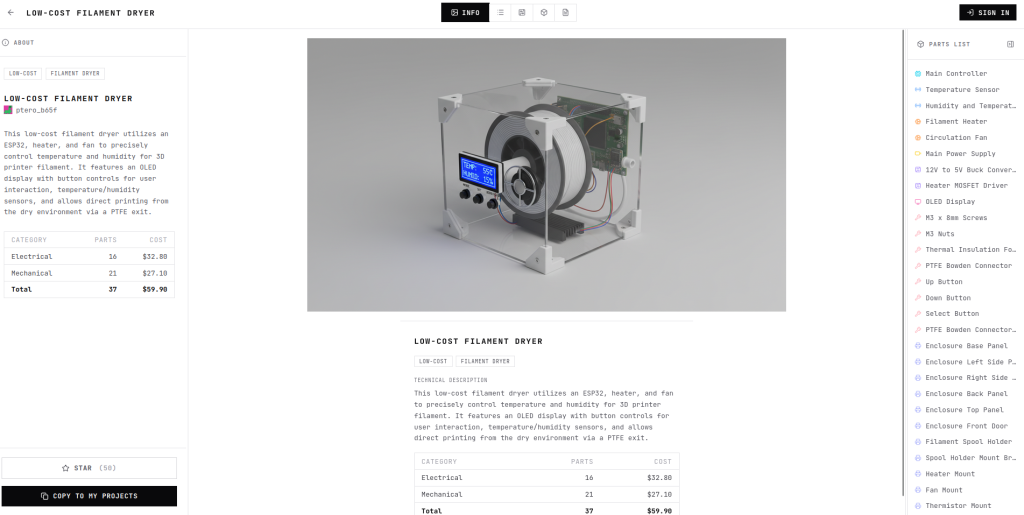
What makes Blueprint particularly interesting is that it attempts to generate close to an entire product from a single text prompt. During the prompting process, the system asks follow-up questions and requests clarification where needed, helping refine the design requirements interactively.
The platform can generate a bill of materials, estimate pricing, define connections between components, and even create rough layout concepts. It also provides rendered visualizations of what the final product could potentially look like.
While the outputs are still incomplete and often require significant engineering work afterward, the overall concept is surprisingly impressive. It genuinely feels closer to an engineering assistant rather than a simple geometry generator.
For early-stage prototyping and conceptualization, Blueprint shows significant potential.
Adam
https://adam.new/
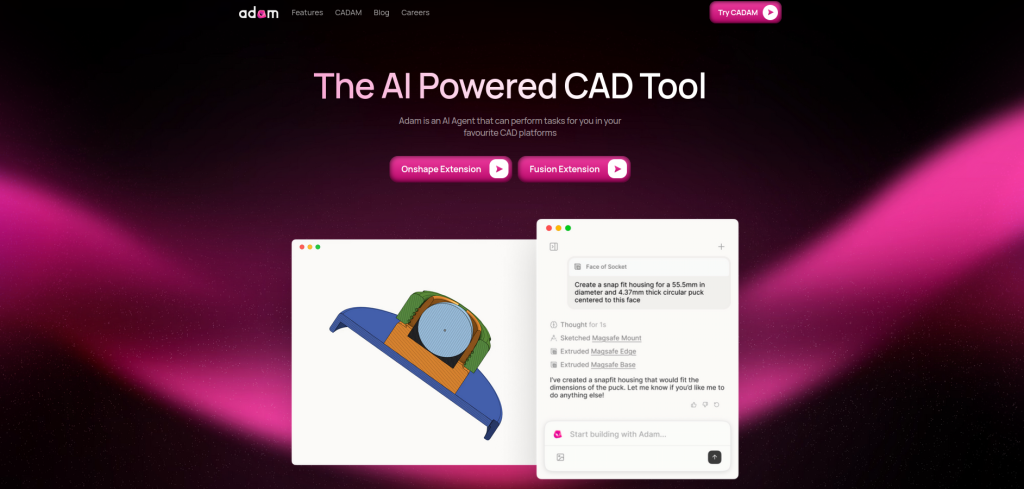
Adam operates more like a ChatGPT-style prompt interface for mechanical CAD generation.
Users provide prompts describing the desired object, and the system generates 3D models which can then be exported as STL files for use in other CAD software.
One particularly interesting feature is that Adam generates editable dimensions and parameters after model creation. These values can be adjusted in real time, allowing rapid modifications without regenerating the entire design.
The platform is not capable of electronic design work, and the generated models are still relatively basic, but for a prompt-driven mechanical CAD generator, it performs reasonably well.
Zoo
https://app.zoo.dev
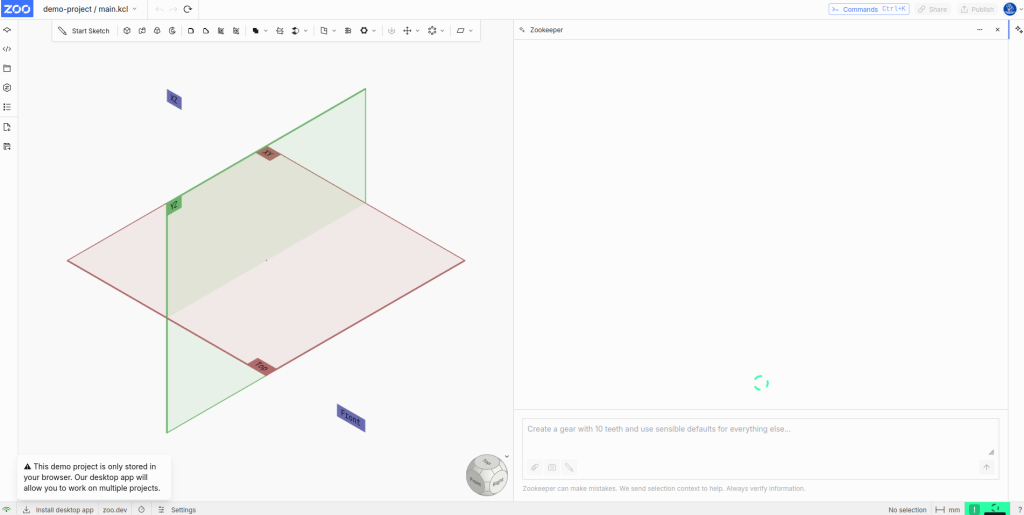
Zoo is similar to Adam in that it provides a ChatGPT-like prompt interface for CAD generation. However, it also includes more traditional CAD-style editing tools for sketching and modifying designs manually.
The reasoning model used by Zoo can take a surprisingly long time to process requests, but one interesting observation during testing was that the system often attempted to recover intelligently when encountering failures or generation issues.
The entire system runs in-browser and also supports code-based design editing, which is extremely powerful for advanced users. The ability to modify generated designs programmatically gives Zoo considerably more flexibility than many simpler AI CAD systems.
The generated outputs themselves were acceptable but not especially remarkable. Still, the platform demonstrates how AI-assisted workflows may eventually blend with traditional CAD systems.
Schematik
https://www.schematik.io/
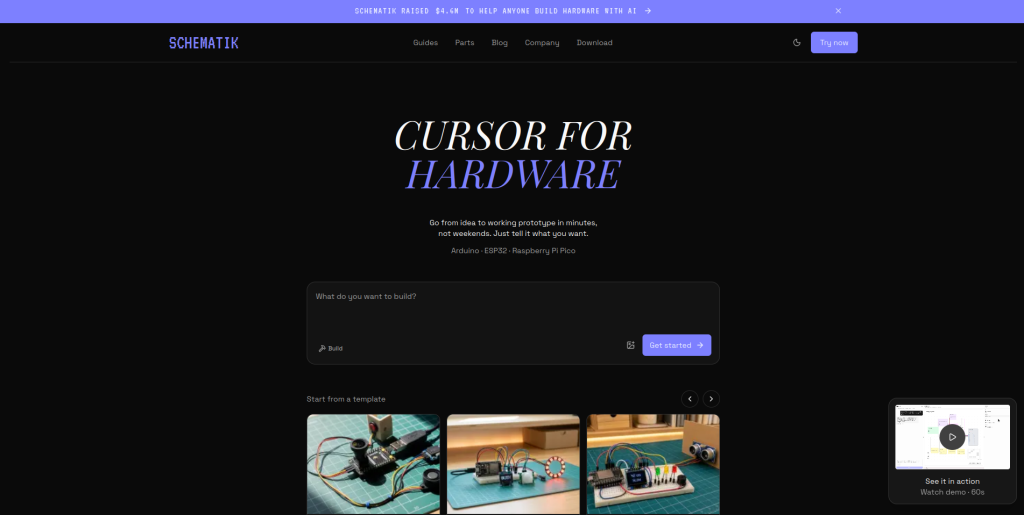
Schematik focuses entirely on electrical system design rather than mechanical CAD.
Unlike some PCB-focused AI tools, Schematik does not generate detailed schematics. Instead, it creates higher-level block diagrams using modules and interconnected systems.
The platform appears particularly suited for centralized microcontroller systems and Arduino-style projects. It provides useful pin mappings, connection diagrams, and can even generate associated software code for certain applications.
Rather than targeting low-level discrete component engineering, Schematik focuses more on system integration and modular connectivity.
For rapid prototyping and embedded system planning, it is surprisingly capable.
CadXStudio
https://cadxstudio.in/
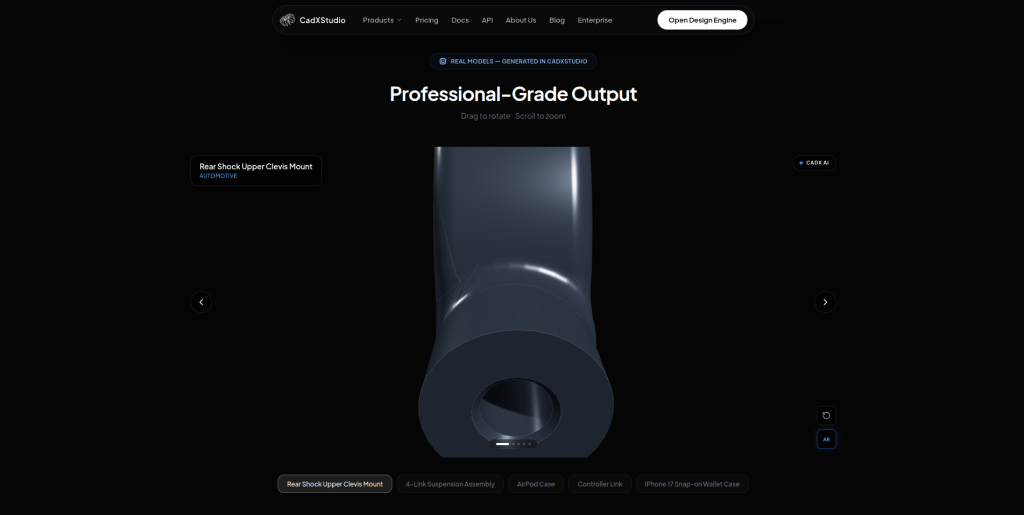
CadXStudio is another prompt-driven mechanical CAD generation platform.
The interface is similar to Adam and Zoo, operating entirely within the browser while providing responsive generation and editing workflows.
Once a design is generated, the platform expands the design into editable variable parameters, allowing users to adjust dimensions and modify geometry dynamically.
Like many current AI CAD systems, the outputs are still relatively basic, but the workflow itself is smooth and functional.
It demonstrates that browser-based AI CAD systems are becoming increasingly accessible and usable, even if they are not yet capable of replacing traditional engineering workflows.
A Wrap-up
Generative AI CAD tools are still extremely young, and in many cases, still very limited.
They are excellent for quickly sketching ideas, exploring concepts, generating rough geometry, and accelerating early-stage prototyping. For brainstorming and rapid iteration, these systems can genuinely save time and provide useful inspiration.
But once real-world engineering constraints begin appearing, many of these tools start showing serious weaknesses. Manufacturing limitations, tolerance analysis, thermal performance, EMC compliance, material behavior, structural loading, assembly requirements, and cost optimization remain difficult problems for current AI systems.
In many situations today, generative AI in engineering is still more of a gimmick than a must-have survival tool for professional engineers.
However, AI is improving rapidly.
Reasoning systems are becoming more capable, agentic workflows are becoming more sophisticated, and engineering-focused AI models are receiving enormous investment. It is very unlikely that the current state of AI CAD tools represents their long-term capabilities.
This is precisely why engineers should begin learning these systems now instead of dismissing them entirely. Understanding how these tools operate, where they fail, and where they can genuinely help will become increasingly important over the next few years.
The tools shortlisted in this article were selected specifically because they demonstrated functional and testable AI-powered workflows that could be verified directly. Many other platforms are emerging rapidly, but it is still far too early to determine which systems will eventually dominate (if at all) the engineering industry.
In the next article, we are going to examine these shortlisted tools in much greater detail and directly compare them against specific mechanical and electrical design requirements to see how they actually perform under real engineering conditions.